EDGE GRANT SINGAPORE
Unified Grant Support for Singapore SMEs.
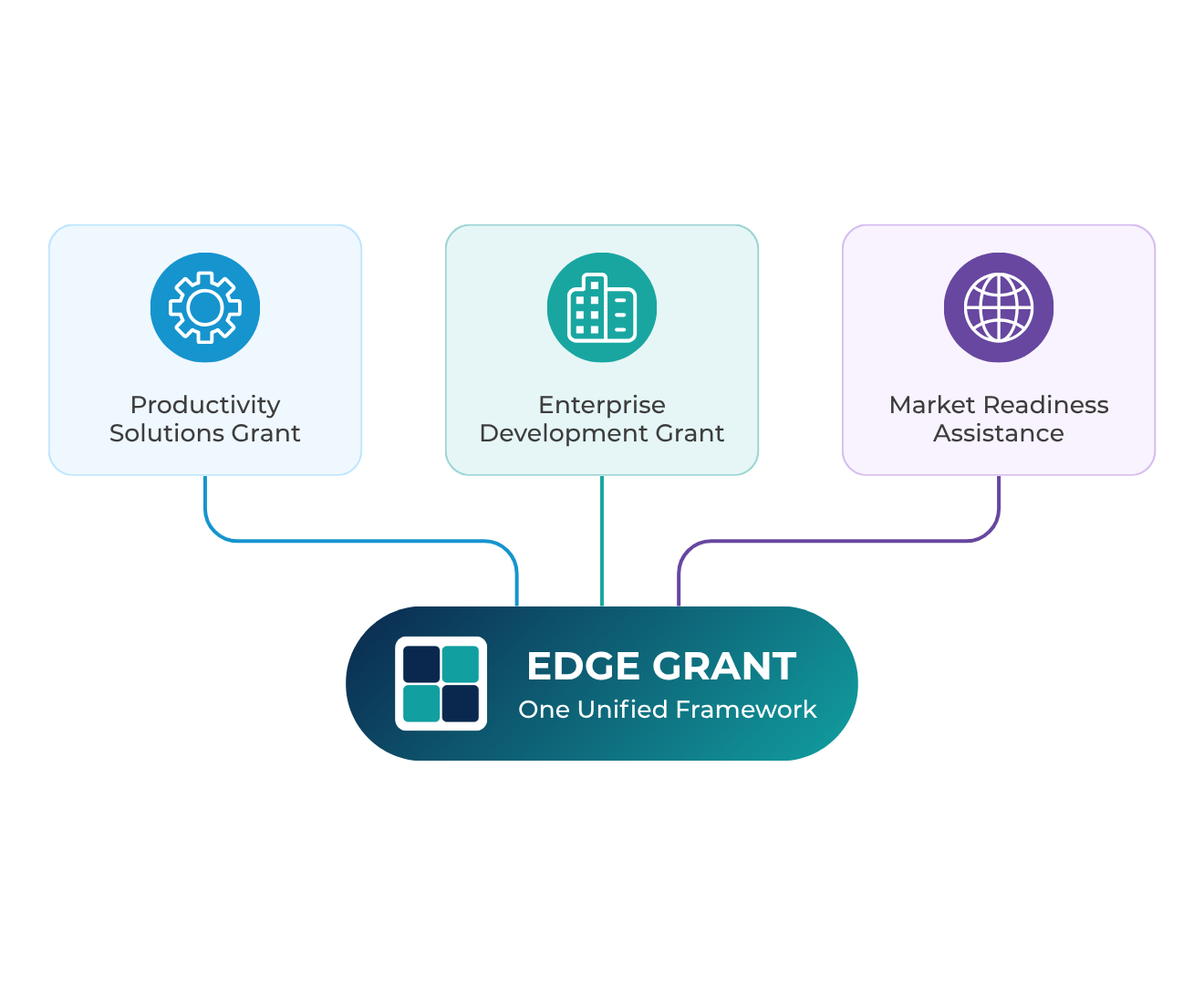
Starting 30 September 2026, EDGE GRANT brings together the previous standalone grant schemes (PSG, EDG, and MRA) under one unified business grant framework, supporting eligible businesses across key areas of business development and transformation.
(Updated 16 Oct 2026)

30 September 2026
Official Launch Date
Up to S$100,000
Annual Grant Cap
per UEN per financial year

8
Key Business Area
150+
Supported Activities
EXPLORE EDGE GRANT
What is the EDGE Grant?
Starting 30 September 2026, the Singapore Government through Enterprise Singapore, is streamlining business grant support into a single sunified framework allows businesses to access support based on their business needs and intended activities.
Transition & Timeline
EDGE launches for Enterprise SG-funded solutions.
PSG, EDG, and MRA schemes will cease for new applications.
Will continue to be processed. Claims may be submitted upon project completion, subject to applicable requirements.
SUPPORTED AREAS
The 8 Business Areas.
The EDGE Grant supports over 100 activities accross 8 key business areas.

Automation

Digitalisation

Business Strategy

Financial Management

Innovation

Internationalisation

Standards

Sustainability
FIND THE RIGHT SUPPORT
Explore EDGE Grant Solution.
Choose a solution to learn more and find a vendor.

Digital Marketing
Grow your brand and reach more customers online.

E-commerce
Sell online with a secure and scalable digital storefront.

GenAI Marketing & Sales
Create content faster and improve marketing performance with AI.
Accounting, Inventory & Sales
Manage finance, inventory and sales more efficiently.
HR & Payroll Solutions
Streamline HR administration, payroll and people processes.
Document Management
Organise, store and manage business documents more efficiently.
FUNDING SUPPORT
How Much Funding Support Can You Receive?
EDGE provides government co-funding to help eligible businesses undertake supported projects across different business areas.
Annual Grant Cap
Up to S$100,000
per UEN per financial year across aligible activities.
Funding Support
Up to 70% (SMEs)
Up to 50& (Non-SMEs)
Actual support levels vary by activity and requirements.
ELIGIBILITY REQUIREMENTS
Applying for a New Project?
EDGE Grant support is intended for new projects. Businesses should ensure that the project has not commenced or incurred relevant costs before submitting an application, subject to the applicable activity requirements.
Potentially Not Eligible
The following situations may be considered retrospective:
- The solution has already been implemented or is already in active use.
- Payment has already been made.
- A quotation has already been signed before submission.
- The project is mainly a renewal, subscription, maintenance, or continuation of an existing solution.
- The project only involves minor changes, added features, or enhancements to an existing solution.
Potentially Eligible
The following may be eligible, subject to the applicable requirements:
- Genuine new adoption and implementation of a solution that has not yet commenced.
- Substantial redevelopment or major overhaul of an existing solution where new components will be implemented and used.
- Implementation at a new physical outlet or expansion into a new business area.
- Expansion into an entirely new service scope.
EXAMPLE
Existing Software User
A customer currently using Accounting Software X may potentially apply for EDGE support when adopting a different solution as a new implementation, provided the new project has not commenced. However, applying for funding for the same existing implementation or continuing an existing solution would generally not qualify as a new project.
Website Redevelopment
A business with an existing Shopify website may potentially apply for an E-commerce Development project if the work involves substantial redevelopment and the package components will be newly implemented. A project that mainly involves maintenance, subscription, renewal, or minor modifications would not be considered a new implementation.
New Outlet
A customer currently using Accounting Software X may potentially apply for EDGE support when adopting a different solution as a new implementation, provided the new project has not commenced. However, applying for funding for the same existing implementation or continuing an existing solution would generally not qualify as a new project.
DIGITALISATION APPLICATION WORKFLOW
How to Apply for Digitalisation Support.
Digitalisation projects may follow a specific application workflow involving vendor packages, the Package Builder, and the Business Grants Portal.
Quick Check Before Submitting
Make sure your project meets the requirements:
- Has the solution already been implemented or started being used?
- Has payment already been made or has the quotation already been signed?
- Is the project mainly a renewal, subscription, maintenance, or continuation?
- Does the project only involve minor changes or enhancements to an existing solution?
- Is this a genuinely new implementation or project?

Get Vendor Packages Listed
Pre-approved vendors list their approved base packages on the SMEs Go Digital Platform.

Select a Vendor Base Package
The client selects the preferred solution and vendor base package on the SMEs Go Digital Platform.

Create the Package
The client creates and configures the package using the Package Builder. The client must authenticate through Corppass to save the package to the relevant UEN account.

Generate the Quotation
The vendor generates an official quotation that matches the package created by the client. Package creation and quotation preparation may take place in either order, but the final package and quotation should match before the BGP application is submitted.

Submit the Application on BGP
The client submits the grant application through the Business Grants Portal (BGP) using the relevant Package ID and quotation. Vendors must not submit the BGP application on behalf of clients.

Commence the Project
While waiting for BGP approval, the client may choose to commence the project and make payments at their own risk.
STEP BY STEP GUIDE
Your Guide to the Grant Process.
Follow these key steps to help your clients prepare, verify eligibility and apply through the relevant portals.

Check Solution Cost Caps
- Go to the solution’s activity or category
- Click More Info
- The cap is listed in the middle of the page

Package Builder & Package ID
- Visit https://smesgodigital.gov.sg/
- Locate your solution
- Click Select package & add-ons
Vendors cannot save packages on behalf of clients. Your clients must log in directly, enable SMEs Go Digital e-services in CorpPass, and save the package to generate the Package ID (a confirmation email will also be sent to your client).

BizSG Portal (Eligibility & Support)
- Clients log in via CorpPass to verify SME/Non-SME status and explore support via the AI recommender.

New Business Grants Portal (BGP 2.0)
-
Log In
-
Click Apply Now under edge — Digitisation (with Pre-Approved Vendor)
-
Enter the Package ID from Step 2
-
Clients can view grant cap availability qualifying costs and verify prior activity adoption during application.
Need Further Help?
For questions or technical issues, please reach out to the relevant organisation below.
Enterprise Singapore
Technical or account issues related to BizSG, BGP 2.0, Cost Cap changes.
IMDA
Package Builder-related issues.
FAQs
Everything You Need to Know About EDGE Grant.
What is the EDGE Grant Framework?
The EDGE Grant Framework is Singapore's unified business grant framework designed to support eligible businesses in driving innovation, improving productivity, strengthening capabilities, and achieving sustainable growth.
Who Can Apply for EDGE?
The applicant must be a business entity registered in Singapore with at least 30% Singaporean(s) and/or Singapore PR(s) ownership. Other requirements may apply, depending on the supportable activity.
How Long Does It Take for EDGE Applications to Be Processed?
The processing duration varies depending on the activity selected. This information can be found either on the EDGE website or BizSG from 30 September 2026 onwards.
Can I Engage Any Vendor for EDGE?
This is dependent on the activity selected. For activities with pre-approved vendors, businesses should choose from the list. For activities where no pre-approved vendor is required, businesses may engage a vendor of their choice.
Can I Change My Vendor After Submitting My EDGE Application?
Change requests are only allowed for changes to project end date and claim due date. Should businesses wish to make any other changes to the project, they should terminate the existing project and submit a new application.
What Happens to My Existing EDG, MRA or PSG Application?
Applications submitted for EDG, MRA, and PSG before 30 September 2026 will continue to be assessed based on the requirements of the relevant scheme. Ongoing projects under these three schemes will not be affected and will be supported until project completion and claim disbursement.
Is Package Builder Mandatory?
Yes. Package Builder must be used to create a package for the Digitalisation business area, regardless of whether the package includes Variable Cost Items.
Who Creates the Package?
The applicant must create and save the package using the applicant's own UEN account. Vendors can guide clients on package configuration, but vendors must not create or save the package on behalf of the client.
Does the Package Need to Match the Quotation?
Yes. The solution, components, and Variable Cost Items selected in Package Builder should correspond with the quotation provided by the vendor.
Can I Create a Package Without a Quotation?
Yes. Package creation and quotation preparation can take place in either order. However, the final package and quotation must correspond before the BGP application is submitted.
Find a Vendor.
Tell us about your business needs and our team will get in touch.
Your enquiry will be sent to the EdgeGrant.com team
We will get in touch with you shortly to share relevant vendors and help you take the next step.